How to Choose a Graphics Card for Your Resolution and Refresh Rate
Matching a GPU to your monitor is more important than chasing the highest-tier card. Here is how resolution, refresh rate, and features should shape the decision.
Matching a GPU to your monitor is more important than chasing the highest-tier card. Here is how resolution, refresh rate, and features should shape the decision.
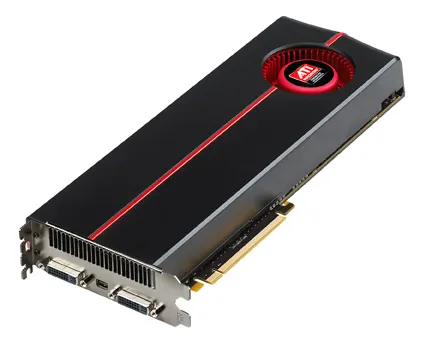
Photo by Advanced Micro Devices, Inc. (AMD) / Wikimedia Commons / Attribution
A graphics card is the single component most responsible for how a game looks and how smoothly it runs, which is exactly why it’s so easy to overspend or underspend on one. The right choice isn’t “the best card you can afford” — it’s the card that matches what your monitor and games actually need.
Start with your monitor, not the GPU market
Resolution and refresh rate together define the workload you’re asking a GPU to handle. A monitor running at a standard resolution and refresh rate needs meaningfully less GPU power than one running at a higher resolution or a high refresh rate, and pairing a very powerful card with a modest monitor means you’re paying for performance you can never actually see, since the display itself becomes the limiting factor. Conversely, an underpowered card paired with a high-resolution, high-refresh monitor will leave real capability sitting unused. Decide on your monitor situation first — current or planned — and let that define the GPU tier you’re shopping in.
Higher resolution needs more than raw power
Moving from a lower to a higher resolution doesn’t just require more processing power; it also increases the amount of video memory (VRAM) a game needs to store textures, frame buffers, and other resolution-dependent data. A card that handles a lower resolution comfortably can become VRAM-constrained at a higher one even if its core processing power would otherwise be adequate. See our companion piece on VRAM for a deeper look at how much you actually need.
Ray tracing and upscaling change the calculus
Modern GPUs vary widely in how well they handle ray tracing — a rendering technique that simulates realistic lighting and reflections — and in the quality of their upscaling technology, which renders a game at a lower internal resolution and reconstructs it to look sharper at your target resolution while easing the load on the GPU. If these features matter to you, they’re worth researching for a specific card generation and tier, since capability in this area varies more between cards than raw rasterization performance does. A card that’s merely adequate at traditional rendering can still deliver a great experience at higher settings if its upscaling technology is strong.
Don’t ignore physical and power compatibility
A capable GPU is only useful if it actually fits and runs in your system:
- Physical length and height. Check your case’s maximum supported GPU length and any clearance issues with drive cages or front fans, especially for larger, higher-tier cards.
- Power connectors and PSU capacity. Confirm your power supply has the specific connectors the card requires and enough rated wattage with headroom to spare — see our PSU wattage guide for how to calculate this properly.
- Slot and case airflow. A powerful card generates real heat; make sure your case has adequate intake and exhaust to keep it — and the rest of your system — running cool.
Buy for today’s monitor, but leave room to grow
It’s reasonable to buy slightly ahead of your current monitor if you’re planning a display upgrade in the near future, since GPUs are typically kept longer than monitors in many builds. But buying two or three tiers beyond what your actual (or realistically near-future) display setup can use rarely pays off — that budget is usually better spent elsewhere in the build, or saved for the next GPU generation. Match the card to the display, check the physical and power fit, and you’ll end up with a system that’s genuinely balanced rather than one with an expensive card doing less than it’s capable of.
Our picks: Graphics cards
Shop on Amazon
Affiliate links.As an Amazon Associate I earn from qualifying purchases. Links below go to Amazon; prices and availability change, so check Amazon for current pricing.Affiliate disclosure
NVIDIA GeForce RTX 5070 Ti
16GB card that handles high-refresh 1440p and entry 4K.
Check price on AmazonNVIDIA GeForce RTX 5060 Ti 16GB
Budget-friendly 1080p/1440p pick; get the 16GB version.
Check price on Amazon
Illustrative photos: Photo by Timothy Borkowski / Wikimedia Commons / CC BY-SA 3.0; Photo by Advanced Micro Devices, Inc. (AMD) / Wikimedia Commons / Attribution