How to Choose a PC Case: Airflow, Size, and Compatibility
A case looks like a styling decision, but airflow design and internal clearance directly affect how well every other component in your build performs.
A case looks like a styling decision, but airflow design and internal clearance directly affect how well every other component in your build performs.
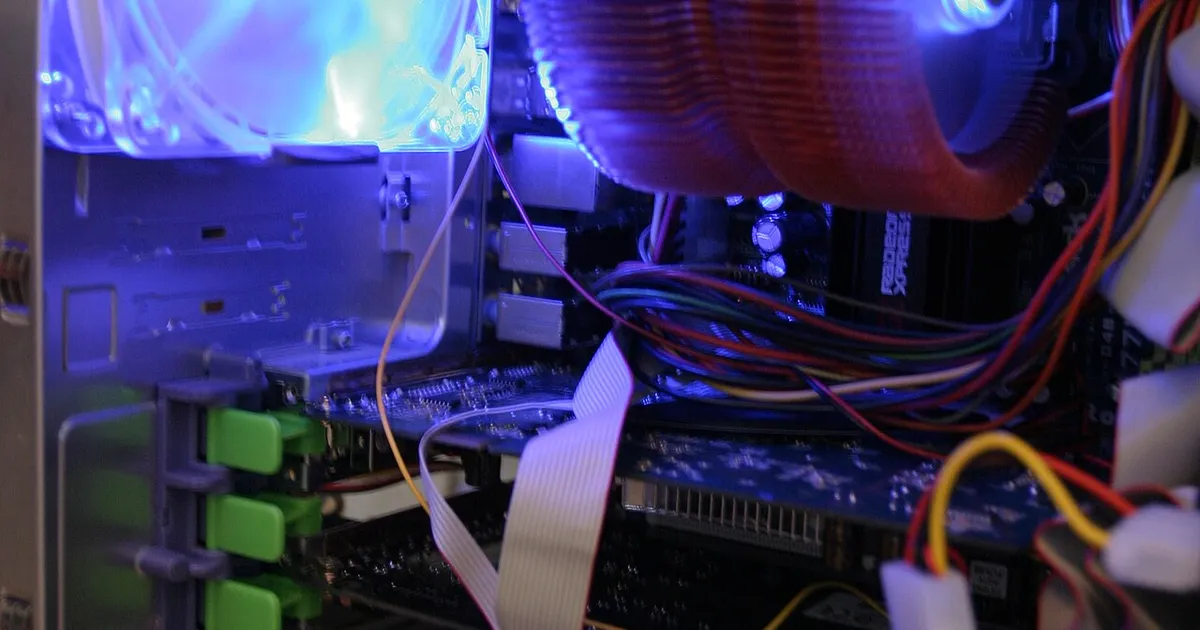
Photo by Paul Williams from the United Kingdom / Wikimedia Commons / CC BY 2.0
It’s easy to treat a PC case as a purely aesthetic choice, but it’s the component that determines how much airflow your GPU and CPU cooler get, whether your parts physically fit, and how easy the build itself is to actually assemble. A great case doesn’t need to be expensive — it needs to get a handful of fundamentals right.
Airflow design comes first
Airflow depends on how air moves through the case, not just how many fans it has. Look for a case with clear intake at the front and/or bottom and clear exhaust at the top and/or rear, with a reasonably unobstructed path for air to travel between them. Mesh front panels generally allow significantly more airflow than solid or heavily restricted panels, which matters more than most other case decisions for keeping temperatures down across your whole system — see our companion piece on mesh versus tempered glass cases for a deeper look at that specific tradeoff.
Confirm size compatibility before anything else
Before falling for a case’s looks, confirm it actually fits your chosen parts:
- Motherboard form factor. Cases are built around supporting specific form factors — check that your ATX, Micro-ATX, or Mini-ITX board is explicitly supported, not just “probably fits.”
- GPU length clearance. Larger graphics cards can be quite long; check the case’s maximum supported GPU length against your specific card’s dimensions.
- CPU cooler height clearance. Particularly relevant for large air coolers, which can be taller than a case’s clearance allows.
- Radiator support, if you’re considering liquid cooling — check both the size of radiator supported and where it can be mounted without conflicting with other components.
Case manufacturers publish these clearance specifications, and it’s worth checking them against your actual parts list rather than assuming a case in the “mid-tower” category will automatically fit everything.
Cable management space is easy to overlook
The space behind the motherboard tray — where you route cables out of the main airflow path — varies significantly between cases, and a cramped one makes for a messier build that can itself restrict airflow if cables end up crossing through the main chamber instead of being tucked away. Cases with more generous cable routing space and built-in tie-down points make for a cleaner build and, indirectly, better cooling, since it’s easier to keep cables from blocking fans and air paths.
Front panel connectivity and drive bays
Check what the case’s front panel actually offers — USB port types and count, headphone/microphone jacks — against what you’ll actually use, since this is one of the few case features you interact with directly and constantly. Also confirm the case has enough drive bays or mounting points for your planned storage setup, particularly if you’re planning multiple drives, since some more style-focused cases prioritize a clean interior look over generous drive mounting.
Don’t ignore noise and dust
A case with excellent airflow via large, unobstructed mesh openings will generally run cooler but let in more dust and potentially transmit more fan noise than a more enclosed design; a case that prioritizes a quieter, more sealed design will run warmer for the same fans and cooling setup. Neither is wrong — it’s a genuine tradeoff worth thinking through based on where the PC will live and how much you’ll notice fan noise in that space, alongside how tolerant you are of periodic dust filter cleaning.
Putting it together
Confirm size compatibility with your specific parts first, since that’s a hard requirement rather than a preference, then prioritize airflow design, cable management space, and front panel connectivity based on how you’ll actually use and maintain the system. Everything else — color, styling, glass panels — is a legitimate personal preference, but it should come after the fundamentals check out.
Our picks: PC cases
Shop on Amazon
Affiliate links.As an Amazon Associate I earn from qualifying purchases. Links below go to Amazon; prices and availability change, so check Amazon for current pricing.Affiliate disclosure
Illustrative photos: Photo by Paul Williams from the United Kingdom / Wikimedia Commons / CC BY 2.0; Photo by PantheraLeo1359531 / Wikimedia Commons / CC BY 4.0