How to Avoid a CPU Bottleneck in Your Gaming PC
A CPU bottleneck wastes the graphics card you already paid for. Here is how to spot one, understand its causes, and pick a CPU that keeps pace with your GPU.
A CPU bottleneck wastes the graphics card you already paid for. Here is how to spot one, understand its causes, and pick a CPU that keeps pace with your GPU.
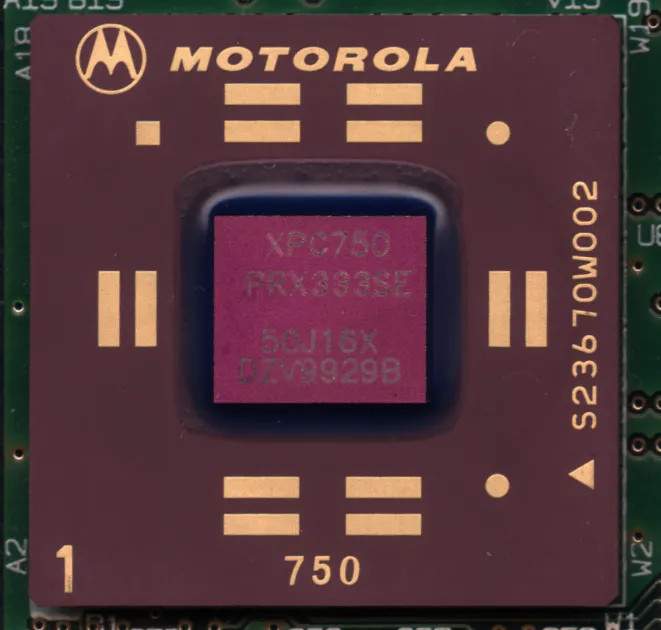
Photo by Myself User:ZyMOS / Wikimedia Commons / CC BY-SA 4.0
A bottleneck happens when one component in your system limits the performance of another that’s otherwise capable of more. A CPU bottleneck specifically means your graphics card is sitting idle, waiting on the CPU to feed it work, rather than being pushed to its actual limit — which means you paid for GPU performance you’re not fully getting.
How to recognize a CPU bottleneck
The clearest sign is GPU usage that sits noticeably below 100% during gameplay while frame rates remain lower than expected, especially visible in monitoring overlays that show both GPU and CPU usage simultaneously. If CPU usage — particularly on one or two cores — is pegged near maximum while the GPU has headroom to spare, that’s a strong indicator the CPU is the limiting factor. This pattern tends to show up most clearly at lower resolutions, since lower resolutions reduce the GPU’s workload while the CPU’s workload stays roughly the same, making the CPU more likely to become the ceiling.
Resolution changes the picture significantly
This is one of the more counterintuitive parts of bottleneck discussions: the same CPU and GPU pairing can be CPU-bottlenecked at a lower resolution and GPU-bottlenecked at a higher one. That’s because raising resolution increases GPU workload substantially while barely changing what the CPU has to do, so the GPU becomes the limiting factor as resolution climbs. If you play primarily at higher resolutions, CPU choice matters less than it does for someone chasing very high frame rates at lower resolutions — worth keeping in mind before assuming you need a CPU upgrade based on advice aimed at a different resolution target.
Pairing CPU and GPU tiers sensibly
There’s no exact formula for matching a specific CPU to a specific GPU, but a reasonable rule of thumb is to avoid pairing a high-end, top-tier graphics card with a budget or entry-level CPU, and vice versa — pairing a top-tier CPU with a modest GPU just shifts the bottleneck to the GPU instead. Look at benchmarks that specifically test your CPU candidate paired with a GPU in the tier you’re planning to buy, at the resolution you’ll actually play at, rather than relying on either component’s standalone benchmarks.
Other causes that get mistaken for a CPU bottleneck
A few other issues produce symptoms that look similar to a CPU bottleneck but have different fixes:
- Insufficient RAM or slow RAM configuration. Too little RAM, or RAM running in single-channel instead of dual-channel mode, can create stutter and low frame rates that resemble a CPU limitation. See our RAM capacity and RAM speed guides for more detail.
- Background applications. Overlays, chat clients, browsers, and startup programs all compete for CPU time. Closing unnecessary background software before assuming a hardware bottleneck is a cheap first troubleshooting step.
- Outdated drivers or game patches. Occasionally what looks like a hardware limitation is really a software issue that a driver or game update resolves.
- Storage-related stutter. Assets streaming in from a slow drive can look like general stutter even though it isn’t a CPU or GPU issue at all — see our SSD guides for more on this.
The practical takeaway
Before buying a new CPU to fix perceived stutter or low frame rates, confirm with monitoring software that the CPU — not RAM, background load, or storage — is actually the constraint, and check whether the bottleneck appears mainly at a resolution lower than what you actually play at. A CPU upgrade is a meaningful expense, and it’s worth being confident it’s solving the right problem before committing to it.
Our picks: Processors
Shop on Amazon
Affiliate links.As an Amazon Associate I earn from qualifying purchases. Links below go to Amazon; prices and availability change, so check Amazon for current pricing.Affiliate disclosure
Illustrative photos: Photo by Myself User:ZyMOS / Wikimedia Commons / CC BY-SA 4.0; Photo by Jacek Halicki / Wikimedia Commons / CC BY-SA 4.0; Photo by Ondřej Martin Mach / Wikimedia Commons / CC BY-SA 3.0