CPU Core Count vs. Clock Speed: What Actually Matters for Gaming
More cores and higher clock speeds both sound like wins, but games use them very differently. Here is how to read a CPU spec sheet for gaming.
More cores and higher clock speeds both sound like wins, but games use them very differently. Here is how to read a CPU spec sheet for gaming.
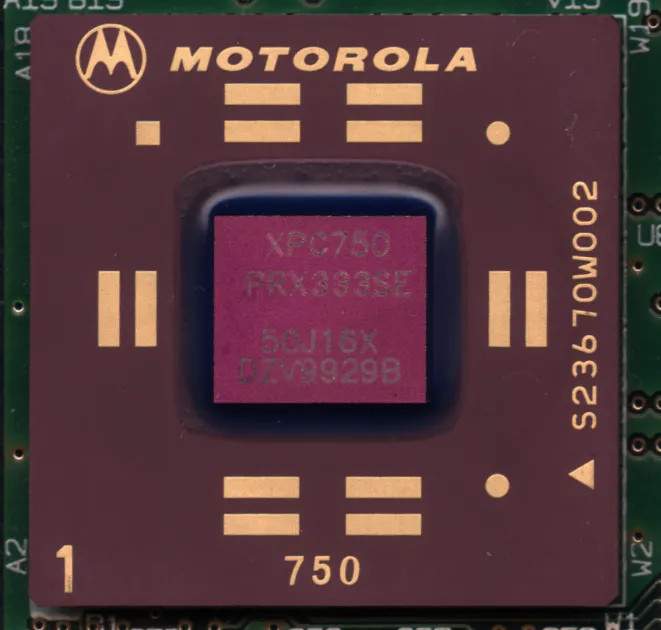
Photo by Myself User:ZyMOS / Wikimedia Commons / CC BY-SA 4.0
CPU spec sheets throw two big numbers at you: core count and clock speed. It’s tempting to assume more of either is simply better, but games use a CPU differently than most other software, and understanding that difference will save you from paying for capability your games can’t actually use.
How games use CPU cores
Most games are built around one or a small handful of primary threads that handle core game logic — physics, AI decisions, input processing — sequentially, because a lot of that logic depends on the results of the step before it and can’t easily be split across many independent cores. Games do use additional cores for tasks that parallelize well, like audio processing, asset loading, and some rendering-adjacent work, but the primary game logic thread is usually still the ceiling on performance in CPU-limited situations. This is why a CPU with fewer, faster cores can sometimes outperform one with many more, slower cores in a purely gaming workload — the game may simply not be able to use the extra cores effectively.
Clock speed and single-thread performance
Clock speed, measured in gigahertz, is a rough proxy for how many operations a single core can complete per second — but it’s only a rough proxy, because different CPU architectures accomplish different amounts of work per clock cycle. A newer architecture running at a lower clock speed can outperform an older one running at a higher clock speed on the same task. When comparing CPUs for gaming, single-thread or lightly-threaded performance benchmarks for the specific chips in question are a far better guide than clock speed alone.
When more cores actually helps
Core count becomes genuinely valuable in a few common scenarios beyond the game itself:
- Streaming or recording while gaming, where video encoding runs on separate cores from the game.
- Heavy background multitasking — Discord, a browser with many tabs, chat overlays, and other applications competing for CPU time alongside the game.
- Some newer, more CPU-intensive games that are built to spread simulation or world-processing work across more threads than older titles typically did.
If any of these describe your actual usage, weighting your CPU choice toward higher core counts makes sense. If your use case is close to “play one game at a time with minimal background load,” a chip with strong single-thread performance and a moderate core count is usually the better value.
Cache is the quiet third factor
CPU cache — small pools of extremely fast memory built directly into the chip — has a real and sometimes large effect on gaming performance, because it reduces how often the CPU has to wait on slower main memory for frequently accessed data. Two CPUs with similar core counts and clock speeds can perform noticeably differently in games if one has significantly more cache. This is easy to overlook on a spec sheet that only lists core count and clock speed prominently, but it’s worth researching for the specific chips you’re comparing.
Reading a spec sheet with gaming in mind
Rather than ranking CPUs purely by core count or clock speed, treat both as inputs alongside architecture generation and cache size, and prioritize actual gaming benchmarks for the specific chips over any single spec in isolation. For a build focused primarily on gaming with light multitasking, a CPU with excellent single-thread performance and a moderate, sufficient core count for your other needs is almost always the better buy than one that simply wins on a raw core count comparison.
Our picks: Processors
Shop on Amazon
Affiliate links.As an Amazon Associate I earn from qualifying purchases. Links below go to Amazon; prices and availability change, so check Amazon for current pricing.Affiliate disclosure
Illustrative photos: Photo by Myself User:ZyMOS / Wikimedia Commons / CC BY-SA 4.0; Photo by Jacek Halicki / Wikimedia Commons / CC BY-SA 4.0; Photo by Ondřej Martin Mach / Wikimedia Commons / CC BY-SA 3.0