Cable Management Accessories for a Cleaner-Looking Gaming PC
Good cable management is about more than looks — it affects airflow and how easy future upgrades are. Here are the accessories that actually make a difference.
Good cable management is about more than looks — it affects airflow and how easy future upgrades are. Here are the accessories that actually make a difference.
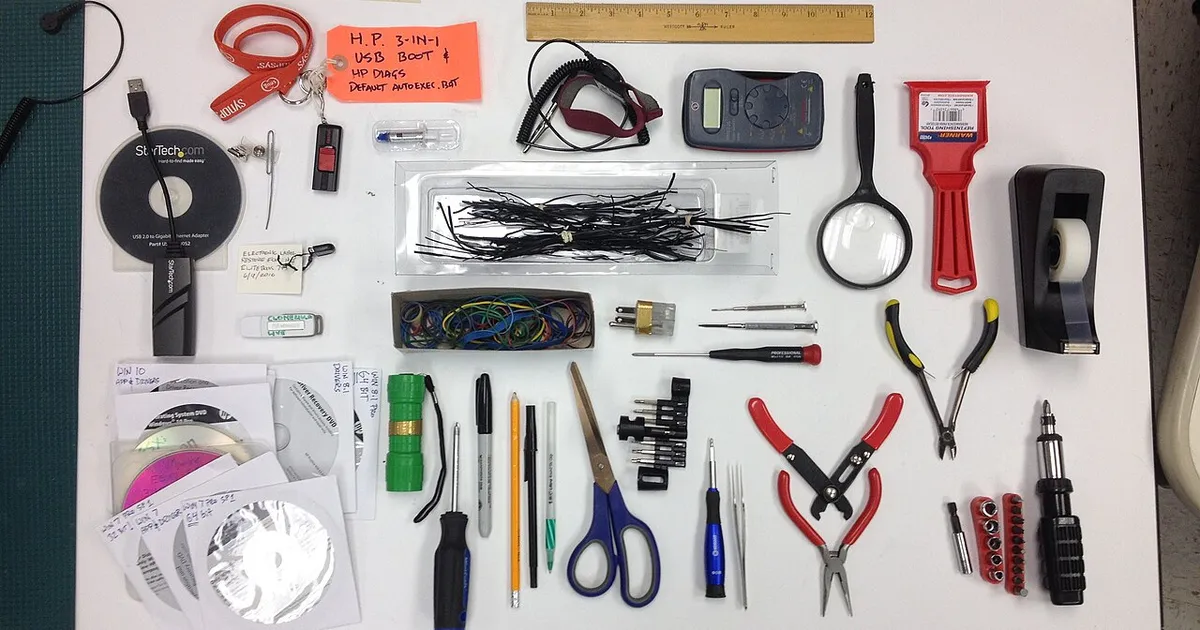
Photo by Bill Abbott / Wikimedia Commons / CC BY-SA 2.0
Cable management gets treated as a purely cosmetic detail, but loose cables draped across a case’s main airflow path can genuinely obstruct fans and restrict air movement, and a tangled mess makes any future upgrade or troubleshooting session more time-consuming than it needs to be. A modest set of accessories makes a real difference in both areas.
Why it matters beyond looks
A case interior with cables crossing directly in front of fans or blocking the path between intake and exhaust reduces effective airflow, working against whatever cooling setup you’ve otherwise put together carefully. Beyond airflow, well-routed cables make it much easier to identify and access specific connections later, whether you’re adding a drive, swapping a GPU, or diagnosing a problem — a genuinely tangled interior can turn a five-minute upgrade into a much longer one just from having to trace individual cables back to their source.
Reusable cable straps
Hook-and-loop (velcro-style) straps are the workhorse of cable management: they bundle cables together, can be repositioned as needed, and — unlike single-use zip ties — can be undone and reused as you refine routing or make future changes. Keeping a supply of different lengths on hand covers everything from small bundles behind the motherboard tray to larger bundles routing power cables from the PSU.
Sleeved cable extensions
Many power supply cables come in a standard black or mixed-color casing that’s functional but not particularly tidy-looking, especially in a case with a glass panel showcasing the interior. Sleeved extension cables — additional cable segments with a woven, uniform-colored outer sleeve — connect between the PSU’s existing cables and the components they power, creating a cleaner, more uniform look without requiring you to replace the PSU’s actual cables. These are purely a cosmetic upgrade with no functional cooling benefit, so they’re worth prioritizing lower than the airflow-focused items on this list if budget is limited.
Cable combs
Cable combs are small plastic pieces with evenly spaced teeth that individual wires within a cable bundle pass through, keeping them perfectly parallel and evenly spaced rather than twisted together. They’re a finishing touch mainly relevant for a showcase build with a glass panel, and they typically require a bit of patience to install neatly — a nice-to-have rather than a functional necessity for most builds.
PSU shrouds and routing channels
Most modern cases include a PSU shroud — a cover that hides the power supply and the bulk of its cabling from view — along with dedicated routing channels and tie-down points behind the motherboard tray. These are built into the case rather than purchased separately, but it’s worth checking for them specifically when choosing a case, since a case with generous routing channels and multiple tie-down points makes achieving clean cable management significantly easier than one without, regardless of how many aftermarket accessories you add on top.
A sensible order of priority
If you’re on a tight budget or short on time, prioritize function over looks: route cables away from fans and the main airflow path first, using basic zip ties or velcro straps to keep them out of the way, and treat sleeved extensions and cable combs as optional polish for later once the functional routing is solid. A case that’s cleanly routed with plain black cables tucked out of the airflow path will cool better and be easier to work on than a visually impressive but poorly routed build — the airflow and usability benefits come from the routing itself, not from how decorative the cables look doing it.
Our picks: PC building essentials & Case fans
Shop on Amazon
Affiliate links.As an Amazon Associate I earn from qualifying purchases. Links below go to Amazon; prices and availability change, so check Amazon for current pricing.Affiliate disclosure

Illustrative photos: Photo by Bill Abbott / Wikimedia Commons / CC BY-SA 2.0; Photo by Mkhan4793 / Wikimedia Commons / CC BY-SA 3.0; Photo by 18bit / Wikimedia Commons / CC BY-SA 4.0