The PC Building Tools You Actually Need: Screwdrivers, Thermal Paste, Parts Trays and More
A short, practical list of tools that make building or upgrading a gaming PC easier, from a magnetic screwdriver to a headlamp.
Main page for gaming pcs: Gaming PCs →
A short, practical list of tools that make building or upgrading a gaming PC easier, from a magnetic screwdriver to a headlamp.
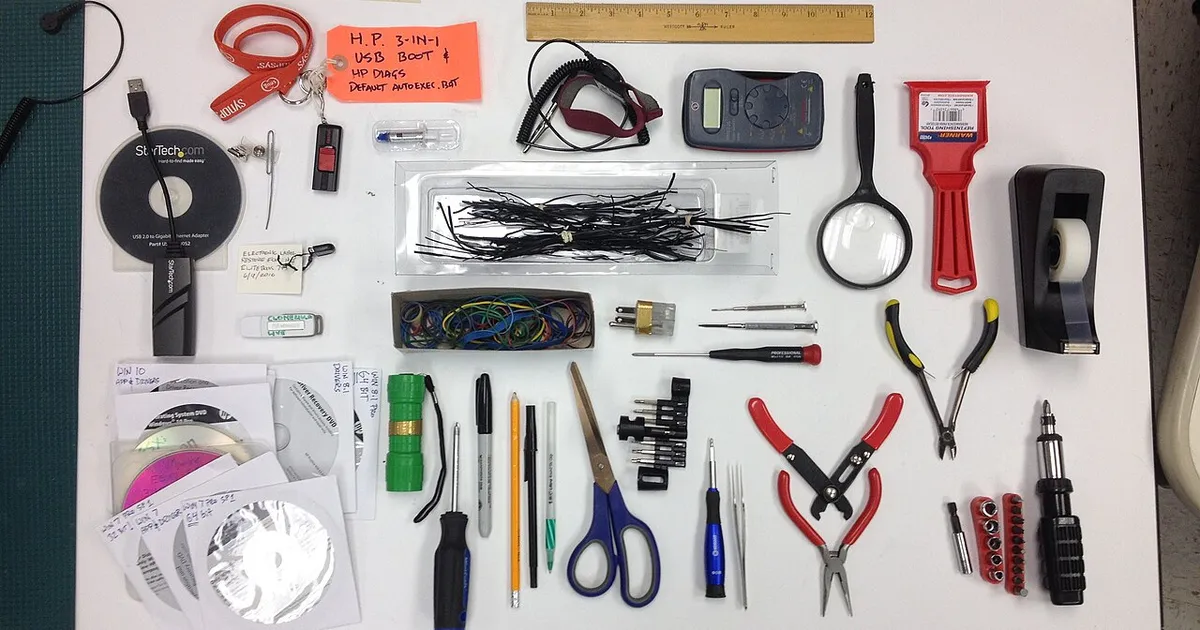
Photo by Bill Abbott / Wikimedia Commons / CC BY-SA 2.0
Affiliate links.As an Amazon Associate I earn from qualifying purchases. Links below go to Amazon; prices and availability change, so check Amazon for current pricing.Affiliate disclosure
Once you’ve chosen your parts, you’ll need very few tools to put them together. A good screwdriver does most of the work. The items below make the job easier and help you avoid the most common mistakes.
A magnetic Phillips #2 screwdriver
Almost every screw in a PC (case panels, motherboard standoffs, PSU, GPU bracket) takes a Phillips #2. A magnetic tip stops screws falling into the case. A precision bit set such as the Wiha precision screwdriver set covers the tiny M.2 screws and laptop work as well.
Thermal paste
Most CPU coolers ship with paste already applied, which is fine for a first build. If you remove the cooler, you’ll need fresh paste. Noctua NT-H2 and Thermal Grizzly Kryonaut are well-known choices. A pea-sized dot in the center of the CPU is enough; the cooler’s pressure spreads it.
A magnetic parts tray
A magnetic parts tray keeps screws from different parts separate, which saves time when you look for the right screw later.
A headlamp or flashlight
Cases are dark inside, and the labels on motherboard headers are tiny. A LED headlamp leaves both hands free.
Zip ties and Velcro straps
Cable ties tidy cables behind the motherboard tray. Reusable Velcro straps make later upgrades easier than zip ties, which you have to cut.
Isopropyl alcohol and lint-free cloths
Use 99% isopropyl alcohol and lint-free cloths to clean old thermal paste off a CPU and cooler before applying new paste.
What you don’t need
- An anti-static mat: touching the metal case before handling parts discharges static. A wrist strap is cheap insurance, but a mat isn’t required.
- Special motherboard tools: almost all mounting hardware comes with the case and motherboard.
Bottom line
A magnetic #2 screwdriver, a light and a parts tray cover most builds. Add thermal paste and alcohol if you’ll ever remove the cooler.
Our picks: Processors & Motherboards
Shop on Amazon
Affiliate links.As an Amazon Associate I earn from qualifying purchases. Links below go to Amazon; prices and availability change, so check Amazon for current pricing.Affiliate disclosure
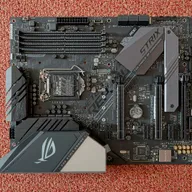
Illustrative photos: Photo by Myself User:ZyMOS / Wikimedia Commons / CC BY-SA 4.0; Photo by Marcin Wieclaw (pcsite.co.uk) / Wikimedia Commons / CC BY-SA 4.0; Photo by Jacek Halicki / Wikimedia Commons / CC BY-SA 4.0; Photo by PantheraLeo1359531 / Wikimedia Commons / CC BY 4.0; Photo by Ondřej Martin Mach / Wikimedia Commons / CC BY-SA 3.0