GPU Specs That Actually Matter When Comparing Graphics Cards
Marketing spec sheets list a lot of numbers. Here is a conceptual guide to which ones actually predict gaming performance and which ones are commonly overweighted.
Main page for graphics cards: Graphics Cards →
Marketing spec sheets list a lot of numbers. Here is a conceptual guide to which ones actually predict gaming performance and which ones are commonly overweighted.
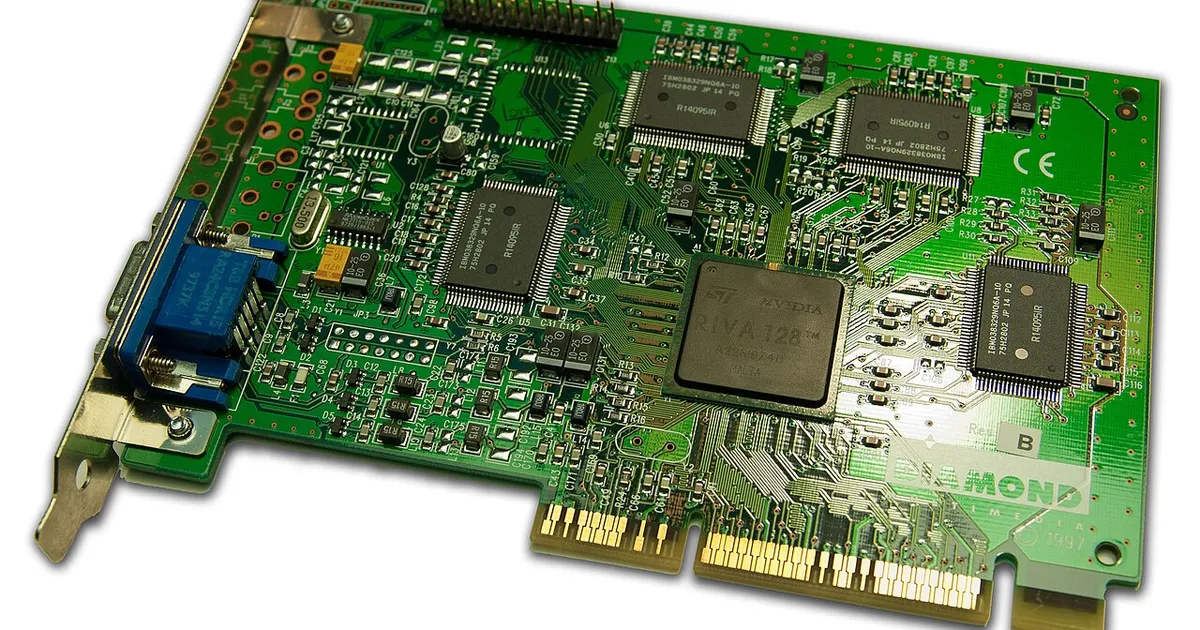
Photo by Timothy Borkowski / Wikimedia Commons / CC BY-SA 3.0
Comparing graphics cards by reading spec sheets is harder than it looks, because not every listed number carries the same weight for actual gaming performance. Some specs are genuinely predictive, some only matter in specific circumstances, and some are frequently misread in ways that lead to bad comparisons. Understanding the difference makes any comparison, whenever you make it, far more useful.
Memory capacity matters, but mostly as a threshold, not a scale
Video memory capacity is one of the most-quoted specs, but its relationship to performance is often misunderstood. Below a certain threshold for a given resolution and set of settings, insufficient memory capacity can cause real problems — stuttering or the need to reduce settings that otherwise wouldn’t have been necessary. Above that threshold, however, having significantly more capacity doesn’t translate into proportionally more performance, because the card isn’t using memory it doesn’t need. Comparing two cards purely by “who has more memory” without considering whether either one is actually near its threshold for your use case is a common way to misjudge a comparison.
Memory bandwidth and architecture explain more than capacity alone
How quickly a graphics card can move data to and from its memory, along with the underlying architecture generation, tends to explain performance differences better than capacity alone. Two cards with identical memory capacity can perform very differently if one has meaningfully higher bandwidth or a newer, more efficient architecture behind it. This is part of why comparing cards purely by memory size across different generations or tiers can be misleading — capacity is only one piece of a larger picture that includes how efficiently that memory is actually used.
Power draw is a comparison point, not just a specification
A graphics card’s rated power draw affects more than your electricity bill — it factors into whether your existing power supply has enough capacity and the right connectors, and it affects how much heat your case needs to handle. When comparing cards, power draw is worth weighing against the performance it buys, since two cards with similar real-world performance but different power requirements have different practical costs beyond the sticker price, particularly if the higher-draw option would require a power supply upgrade too.
Physical dimensions are a comparison factor people forget
Spec sheets rarely put physical size on equal footing with performance figures, but a card’s length, height, and thickness are genuinely comparison-relevant if you’re working with a specific case. Two cards with comparable performance can differ enough in size that only one actually fits your build. This isn’t a performance spec in the traditional sense, but it belongs in any real-world comparison, since a card that doesn’t fit isn’t a viable option regardless of how it performs.
Generation and architecture context matters more than raw numbers in isolation
A given specification — clock speed, core count, memory bandwidth — means something different depending on the underlying architecture generation it belongs to. Comparing raw numbers across different architecture generations without accounting for efficiency improvements between them can produce a misleading picture, since a newer architecture can extract more performance from similar-looking raw specifications than an older one. This is why generation and architecture context should frame any spec-by-spec comparison, rather than treating every number as directly comparable in isolation.
A more useful way to compare
Rather than ranking cards by a single headline spec, it helps to ask a few questions together: is memory capacity comfortably above the threshold you need, does bandwidth and architecture generation support the raw numbers being advertised, does power draw fit your existing system without forcing other upgrades, and do the physical dimensions actually fit your case. Comparing on all of these dimensions, rather than one favorite spec, produces a far more reliable picture than any single number can.
Our picks: Graphics cards
Shop on Amazon
Affiliate links.As an Amazon Associate I earn from qualifying purchases. Links below go to Amazon; prices and availability change, so check Amazon for current pricing.Affiliate disclosure
NVIDIA GeForce RTX 5070 Ti
16GB card that handles high-refresh 1440p and entry 4K.
Check price on AmazonNVIDIA GeForce RTX 5060 Ti 16GB
Budget-friendly 1080p/1440p pick; get the 16GB version.
Check price on Amazon
Illustrative photos: Photo by Timothy Borkowski / Wikimedia Commons / CC BY-SA 3.0; Photo by Advanced Micro Devices, Inc. (AMD) / Wikimedia Commons / Attribution