Gaming Laptop Buying Guide: What Actually Matters
GPU tier, display quality, and thermal design tell you far more about a gaming laptop than the spec sheet headline. Here is what to prioritize.
GPU tier, display quality, and thermal design tell you far more about a gaming laptop than the spec sheet headline. Here is what to prioritize.
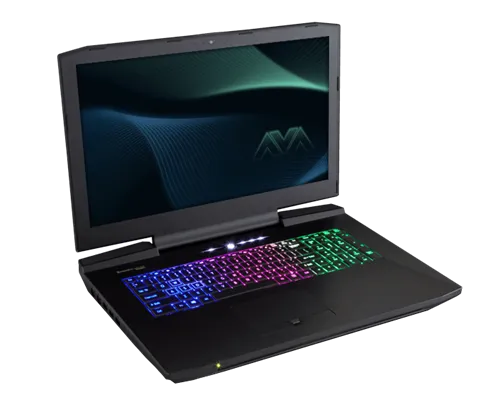
Photo by Nikitarama / Wikimedia Commons / CC BY-SA 4.0
Gaming laptops are a different animal from desktops: every component is squeezed into a chassis with limited space for cooling and no easy upgrade path for the two parts that matter most. That makes the buying decision less about chasing the biggest number on a spec sheet and more about understanding the tradeoffs baked into the laptop form factor.
The GPU tier is still the main driver of gaming performance
As with desktops, the graphics card is the single biggest factor in what frame rates and settings you’ll get in games. But laptop GPUs of the “same” model as their desktop counterparts often run at lower power limits to fit thermal and battery constraints, so two laptops with a similarly-named GPU can perform quite differently depending on how much power the chassis allows it to draw. When comparing laptops, look past the GPU model name alone — cooling design and power delivery change what that chip can actually do inside a given machine.
The display is easy to overlook and hard to undo
Unlike a desktop monitor, a laptop’s screen isn’t something you swap out later. A high refresh rate is wasted if the panel itself has poor color accuracy, weak contrast, or noticeable ghosting, and a powerful GPU is wasted if the screen it’s driving can’t display the frame rate it’s capable of. Prioritize matching the display’s refresh rate to what the GPU can realistically sustain in the games you play, and don’t assume a higher resolution panel is automatically the better pick — a lower-resolution, higher-refresh-rate screen is often the better gaming experience, and it’s easier on the GPU too.
RAM and storage: check what’s actually replaceable
Some gaming laptops still offer at least one accessible RAM slot and a spare M.2 storage slot, letting you upgrade later; others solder memory directly to the board, locking you into whatever configuration you bought. If future upgradability matters to you, check the specific model’s teardown or specification sheet before buying, not just its default configuration — the difference between a laptop you can extend and one you can’t is significant over a multi-year ownership period.
Battery life claims rarely survive gaming
Manufacturer battery life figures are almost always measured under light productivity use, like web browsing or video playback — not gaming. Running a demanding game will draw far more power than that, often reducing runtime to well under an hour, sometimes closer to thirty minutes, regardless of the advertised all-day battery figure. If you plan to game away from an outlet regularly, treat battery specs as a rough guide for non-gaming use only, and expect to keep the charger close by for actual play sessions.
Build quality, ports, and upgrade headroom
A few practical things separate a laptop that ages well from one that becomes frustrating within a year or two:
- Port selection. Confirm it has the display outputs, USB standards, and networking you actually use, since laptops have far less room for expansion than desktops.
- Keyboard and trackpad quality. You’ll use both daily even if you plan to game with an external mouse and keyboard at a desk.
- Chassis rigidity and hinge quality. A laptop that flexes noticeably or has a wobbly hinge is a sign of cost-cutting that tends to show up elsewhere too.
Buy for how you’ll actually use it
A laptop you’ll dock at a desk most of the time can lean toward more GPU performance and worry less about battery life or ultra-thin portability. One you’ll genuinely carry and use unplugged should weight portability and battery life more heavily, even if that means accepting a lower-tier GPU. Being honest about your actual usage pattern before shopping will save you from paying for capabilities — extreme portability, a top-tier GPU, both — that don’t match how the laptop will really be used.
Our picks: Gaming laptops
Shop on Amazon
Affiliate links.As an Amazon Associate I earn from qualifying purchases. Links below go to Amazon; prices and availability change, so check Amazon for current pricing.Affiliate disclosure

Illustrative photos: Photo by Nikitarama / Wikimedia Commons / CC BY-SA 4.0