How to Troubleshoot Common PC Gaming Problems Step by Step
A structured approach to diagnosing crashes, stutters, and connectivity issues in PC games, so you can narrow down the cause instead of guessing.
A structured approach to diagnosing crashes, stutters, and connectivity issues in PC games, so you can narrow down the cause instead of guessing.

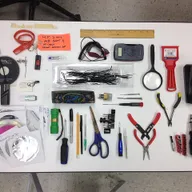
Photo by 18bit / Wikimedia Commons / CC BY-SA 4.0
When a game starts crashing, stuttering, or refusing to connect, the temptation is to try random fixes pulled from memory until something works. That approach sometimes succeeds, but it wastes time and often leaves you without a clear idea of what the actual problem was — which means it can easily resurface later. A structured troubleshooting process gets you to an answer faster and teaches you something useful about your system along the way.
Step One: Isolate the Scope of the Problem
Before changing anything, figure out whether the issue is specific to one game, happens across multiple games, or affects the system more broadly. This single question dramatically narrows down where to look. A problem isolated to one game points toward that game’s files, settings, or a recent update. A problem affecting multiple games points toward drivers, background software, or hardware. A problem affecting the whole system, even outside of games, points toward something more fundamental like overheating or a failing component.
Step Two: Check What Changed Recently
Most problems that appear suddenly are connected to something that changed recently — a driver update, a game patch, a new background application, or a Windows update. Thinking back over what’s changed since the system last worked correctly is often faster than working through a generic troubleshooting checklist from scratch, because it points you directly at the most likely cause rather than treating every possible cause as equally probable.
Step Three: Reproduce the Problem Consistently
If you can, figure out whether the issue happens every time under the same conditions, or intermittently and unpredictably. A consistently reproducible problem is usually easier to diagnose, since you can test one change at a time and immediately see whether it resolved the issue. An intermittent problem is trickier and often points toward something like overheating, unstable memory, or a background process that only sometimes interferes — in these cases, monitoring tools that log temperatures or resource usage over time can help catch the pattern you can’t see just by watching the screen.
Step Four: Change One Thing at a Time
It’s tempting to apply several fixes at once when you’re frustrated and want the problem solved quickly, but this makes it impossible to know which change actually worked — and if the problem returns later, you won’t know which fix to trust. Working through likely causes one at a time, testing after each change, takes a little longer per attempt but gives you a much clearer picture of what was actually wrong, which is valuable if the same or a similar problem shows up again.
Step Five: Know When to Escalate
Some problems point toward something beyond a settings or software fix — persistent crashes tied to high temperatures, hardware that fails self-tests, or issues that reappear immediately after a clean reinstall of drivers and the game itself. Recognizing when you’ve reasonably ruled out software causes and the problem still points toward hardware is important, since continuing to troubleshoot indefinitely at the software level when the actual cause is physical just wastes time.
A General Troubleshooting Process
- Determine whether the problem is isolated to one game, several games, or the whole system.
- Review what’s changed recently — updates, new software, settings changes.
- Establish whether the problem is consistently reproducible or intermittent.
- Test one potential fix at a time, confirming results before moving to the next.
- Escalate to hardware-focused troubleshooting if software causes have been reasonably ruled out.
This process won’t solve every problem instantly, but it replaces random guessing with a method that narrows down the cause systematically — and that method is reusable the next time something goes wrong, which is often more valuable than any single fix.
Our picks: PC building essentials
Shop on Amazon
Affiliate links.As an Amazon Associate I earn from qualifying purchases. Links below go to Amazon; prices and availability change, so check Amazon for current pricing.Affiliate disclosure

Illustrative photos: Photo by Bill Abbott / Wikimedia Commons / CC BY-SA 2.0; Photo by 18bit / Wikimedia Commons / CC BY-SA 4.0