How to Choose a Gaming Headset Microphone
What actually makes a headset microphone sound good in voice chat, from pickup pattern to placement, plus when to consider a separate mic instead.
What actually makes a headset microphone sound good in voice chat, from pickup pattern to placement, plus when to consider a separate mic instead.
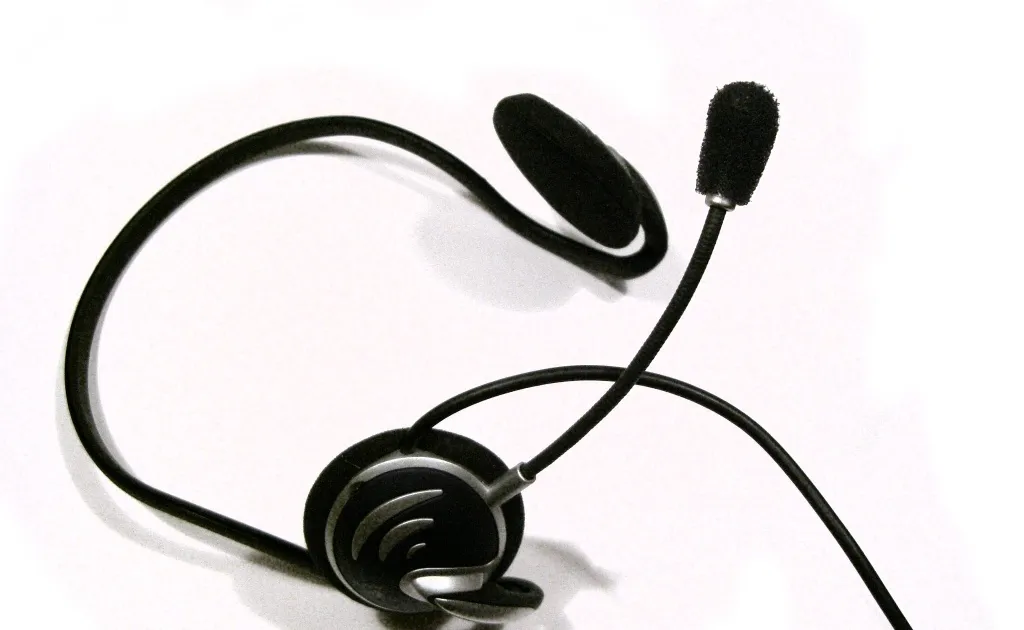
Photo by Zephyris at English Wikipedia / Wikimedia Commons / CC BY-SA 3.0
Most people evaluate a gaming headset entirely on how it sounds to them and forget the other half of the equation: how they sound to everyone else. A great-sounding headset with a poor microphone still leaves your teammates straining to understand callouts. Here’s what actually determines mic quality on a headset.
Pickup pattern matters more than the spec sheet suggests
Headset mics are almost universally cardioid or a variant of it — designed to pick up sound primarily from directly in front of the mic capsule (your mouth) while rejecting sound from other directions. This is why boom mic placement matters so much: even a decent mic sounds bad if it’s not actually pointed at your mouth. A cardioid mic pointed at your cheek picks up your voice off-axis, which sounds thinner and picks up more room noise relative to your voice.
Boom position and distance
As a general rule, the mic should sit close to the corner of your mouth — close enough to clearly capture your voice, not so close that breathing and plosive sounds (“p” and “b” sounds) cause popping. Most headset booms are adjustable; take the time to actually position it correctly instead of leaving it in whatever default angle it arrived in. This single adjustment often makes a bigger audible difference than the mic hardware itself.
Fixed vs detachable/flip-to-mute booms
- Fixed boom mics stay in place permanently, which is simple but means the mic is always physically present, even when you don’t need it.
- Detachable boom mics can be unplugged entirely for casual listening or travel.
- Flip-to-mute booms mute automatically when flipped up, which is a convenient middle ground — quick to mute without digging through software, and a visual cue for others that you’re on mute.
Which you prefer depends on how often you actually mute versus talk, and whether you want the headset to double as a pure listening device without the boom in the way.
Background noise handling
Some headset mics include software-level noise suppression or hardware noise-canceling elements aimed specifically at reducing keyboard clatter, fan noise, or background chatter. These help, but they’re not magic — aggressive noise suppression can also clip or distort your voice if pushed too hard. If your headset software offers adjustable noise gate or suppression strength, start conservative and increase only if teammates report background noise, rather than maxing it out by default.
When a headset mic isn’t enough
Headset microphones are convenience-first: built into a device you’re already wearing, no extra desk space, reasonably good for voice chat. But they’re not built to match a dedicated USB or XLR microphone for anyone doing serious streaming, content creation, or voiceover work — the capsule size and positioning constraints of a headset boom simply can’t match a purpose-built mic’s clarity and depth. If clear vocal audio is a priority beyond casual voice chat, a separate desktop microphone paired with a comfortable pair of headphones (see the open-back vs closed-back guide for that half of the decision) is worth the extra desk space.
Quick checklist before you blame the hardware
- Is the boom actually positioned at the corner of your mouth, not near your chin or cheek?
- Is in-game or app mic volume/gain set reasonably, not clipping (distorting) at louder speech?
- Is any noise suppression set too aggressively, cutting off parts of your voice?
- Have you actually tested with a teammate or a recording app, rather than assuming it sounds fine?
A well-positioned, correctly configured headset mic covers casual and even competitive voice chat perfectly well. Know its limits, though, and you’ll know exactly when it’s time to upgrade to something more dedicated.
Our picks: Headsets
Shop on Amazon
Affiliate links.As an Amazon Associate I earn from qualifying purchases. Links below go to Amazon; prices and availability change, so check Amazon for current pricing.Affiliate disclosure
Illustrative photos: Photo by Zephyris at English Wikipedia / Wikimedia Commons / CC BY-SA 3.0