Understanding Controller Stick Drift: Causes and Prevention
What causes analog stick drift on gaming controllers, how to spot it early, and practical steps to prevent or delay it.
What causes analog stick drift on gaming controllers, how to spot it early, and practical steps to prevent or delay it.
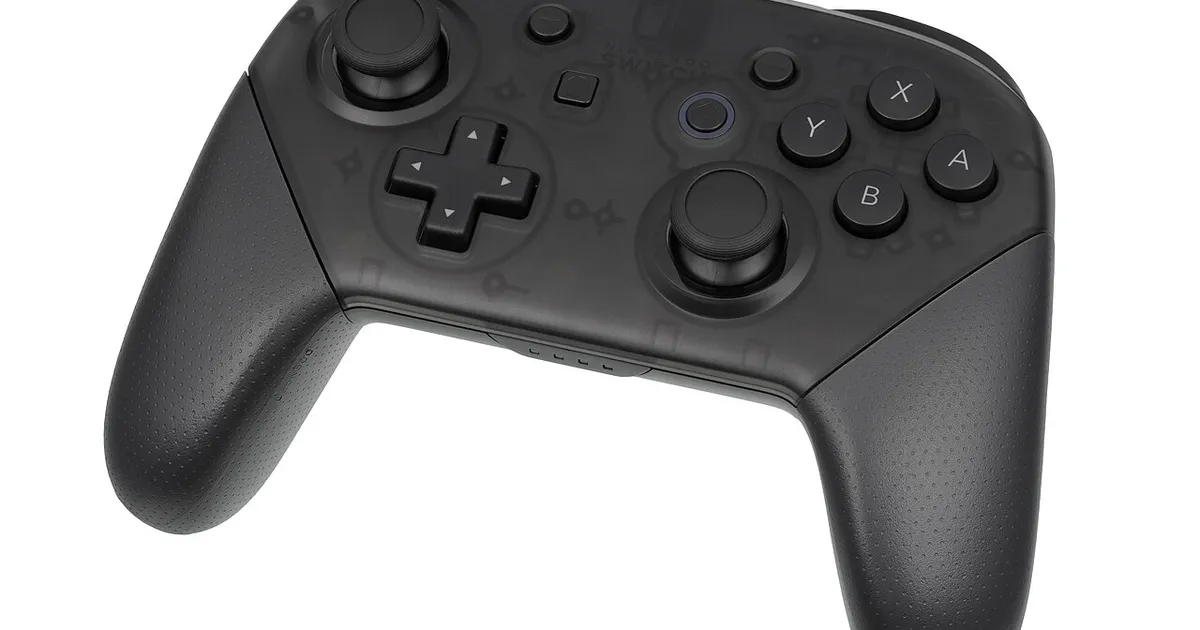
Photo by Evan-Amos / Wikimedia Commons / Public domain
Stick drift — when a controller registers movement even though you’re not touching the analog stick — is one of the most common and frustrating controller failures. It’s rarely a sudden event; understanding why it happens can help you catch it early and extend the life of your controller.
What’s actually happening inside the stick
Most analog sticks use small potentiometers or, in some designs, Hall-effect sensors to measure stick position along two axes. Potentiometer-based sticks work by physical contact between a wiper and a resistive track — every stick movement involves tiny amounts of physical friction and wear at that contact point. Over thousands of movements, that wear can create inconsistent readings, dust/debris can interfere with the contact, or the mechanism can develop a resting-position bias that the controller misreads as constant, unintended input.
Hall-effect sensors, which measure magnetic field changes instead of relying on physical contact, are inherently more resistant to this specific wear mechanism since there’s no physical contact surface degrading over time. Not all controllers use this design, and it’s worth checking if repeated stick drift has been a recurring problem for you specifically.
Early warning signs
Drift often starts subtly before it becomes obviously game-breaking:
- The camera or character slowly moves/rotates in a game menu or during idle moments, even with your thumb off the stick.
- A calibration screen (many platforms have one in system settings) shows the stick’s resting position isn’t centered.
- Aiming or movement feels slightly “pulled” in one direction compared to how the controller felt when new.
Catching it at this stage lets you try fixes before it worsens into unusable, constant unwanted input.
Common causes beyond normal wear
- Dust and debris working into the stick mechanism through the gap around the base, especially in dusty environments or if you eat near your controller.
- Excessive force during aggressive or repetitive stick movement, which accelerates mechanical wear compared to normal, controlled input.
- Manufacturing variance — some units simply have tighter tolerances than others, meaning drift onset timing varies even between identical controller models.
Prevention and maintenance
- Keep it clean. Periodically use compressed air around the base of each stick to clear dust before it works its way into the mechanism.
- Avoid excessive force. Smooth, controlled stick movement puts less mechanical stress on the contact points than forceful, snap movements, especially during full-range motions.
- Store and transport carefully. Avoid leaving controllers where they’ll collect dust, get knocked around in a bag without protection, or sit in extreme heat, which can affect internal components over time.
- Update firmware if available. Some drift-adjacent issues (dead zones registering incorrectly) can sometimes be improved through firmware or software calibration updates, even if the underlying mechanical wear isn’t fixable this way.
Software calibration and dead zones
Many platforms and PC drivers let you manually adjust dead zone size — the small range of stick movement near center that’s ignored to prevent minor drift from registering as input. Increasing dead zone slightly can mask early-stage drift and buy time before a full repair or replacement, though it also slightly reduces fine control sensitivity near center, so it’s a genuine tradeoff rather than a true fix.
When to repair vs replace
Some sticks can be professionally cleaned or have the potentiometer/sensor module replaced, which is often cheaper than buying a new controller if you’re otherwise happy with it. Whether this is worth pursuing depends on the specific controller’s repairability, part availability, and your comfort with (or access to) a repair service — check what’s realistic for your specific model rather than assuming any option applies universally.
The bottom line
Stick drift is largely a function of mechanical wear over time, not necessarily a sign of a defective unit. Regular light cleaning, avoiding excessive force, and catching early symptoms via a calibration check are the most practical ways to delay it — and knowing the early signs means you won’t be caught off guard mid-match.
Our picks: Controllers
Shop on Amazon
Affiliate links.As an Amazon Associate I earn from qualifying purchases. Links below go to Amazon; prices and availability change, so check Amazon for current pricing.Affiliate disclosure
PlayStation DualSense Wireless Controller
Haptics and adaptive triggers on PS5 and PC.
Check price on Amazon
Illustrative photos: Photo by Microsoft / Wikimedia Commons / CC BY-SA 4.0; Photo by Alex Cochrane / Wikimedia Commons / CC BY-SA 4.0; Photo by Evan-Amos / Wikimedia Commons / Public domain