How to Template a Balanced Gaming PC Build (Without Overspending on One Part)
A repeatable method for planning a PC build where no single component becomes a bottleneck or an unnecessary expense.
Main page for gaming pcs: Gaming PCs →
A repeatable method for planning a PC build where no single component becomes a bottleneck or an unnecessary expense.
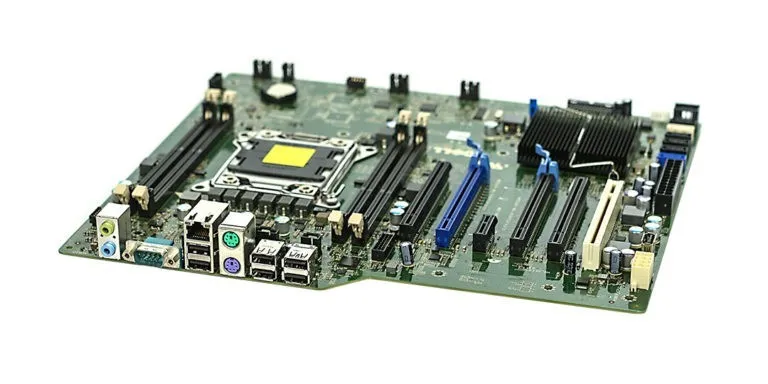
Photo by Marcin Wieclaw (pcsite.co.uk) / Wikimedia Commons / CC BY-SA 4.0
A “balanced” build simply means no single part is so far ahead of, or behind, the rest of the system that it either wastes money or holds back performance you’ve already paid for. Getting there isn’t about following a rigid formula — it’s about checking each component against its neighbors before finalizing a parts list.
Why Balance Matters More Than Peak Specs
A build with a top-tier graphics card paired with a weak CPU can end up bottlenecked, meaning the GPU sits idle waiting on the CPU in certain games, and you don’t see the performance you paid for. The reverse is also true — an excellent CPU paired with a modest GPU won’t deliver higher frame rates in graphically demanding titles. Templating a build around balance avoids paying for capability you can’t actually use.
Step One: Anchor Around Your Target Resolution and Refresh Rate
Your monitor’s resolution and refresh rate are the practical ceiling for what your GPU and CPU combination needs to deliver. A build targeting 1080p at a high refresh rate has different balance points than one targeting 4K, since the CPU-versus-GPU importance shifts with resolution. Decide this anchor first, since every other component decision follows from it.
Step Two: Pair CPU and GPU Deliberately
Rather than picking each independently by budget alone, look at how they work together for your target resolution. At lower resolutions, CPU performance has more influence on frame rates; at higher resolutions, the GPU tends to matter more. Research typical pairings for your target use case rather than assuming “most expensive of each” is automatically balanced.
Step Three: Match Memory to Actual Needs
RAM capacity and speed should support your CPU and use case without being a token afterthought or a wildly oversized purchase. Most modern games have known typical memory needs; multitasking, streaming, or content creation alongside gaming may push that higher. Match your memory choice to your actual workload rather than defaulting to the largest capacity available.
Step Four: Don’t Undersize the Supporting Cast
A balanced build also means the “invisible” components aren’t neglected:
- Power supply with real headroom, not a unit sized to barely cover your components today.
- Case airflow adequate for your GPU and CPU’s heat output, since thermal throttling can undercut performance from otherwise well-matched parts.
- Storage fast enough that load times and game installs aren’t a bottleneck relative to the rest of the system.
Step Five: Sanity-Check the Whole List Together
Once you have a draft parts list, step back and look at it as a whole rather than component by component. Ask whether any single part stands out as dramatically higher or lower tier than the rest. If your GPU is top-of-line but your power supply is a budget unit with no headroom, that’s a signal to revisit the plan before finalizing it.
A Repeatable Template
- Anchor on target resolution and refresh rate.
- Choose a CPU and GPU pairing appropriate to that target, researched together rather than independently.
- Match RAM to your actual workload.
- Size power supply, cooling, and storage to fully support the CPU and GPU choice, not just meet a bare minimum.
- Review the full list for any component that stands out as mismatched before finalizing.
Following this kind of template each time you plan a build keeps the process consistent and helps avoid the classic mistake of chasing one impressive spec at the expense of a build that performs well as a whole.
Our picks: Graphics cards & Processors
Shop on Amazon
Affiliate links.As an Amazon Associate I earn from qualifying purchases. Links below go to Amazon; prices and availability change, so check Amazon for current pricing.Affiliate disclosure
NVIDIA GeForce RTX 5070 Ti
16GB card that handles high-refresh 1440p and entry 4K.
Check price on Amazon
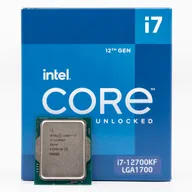
Illustrative photos: Photo by Timothy Borkowski / Wikimedia Commons / CC BY-SA 3.0; Photo by Myself User:ZyMOS / Wikimedia Commons / CC BY-SA 4.0; Photo by Advanced Micro Devices, Inc. (AMD) / Wikimedia Commons / Attribution; Photo by Jacek Halicki / Wikimedia Commons / CC BY-SA 4.0; Photo by Ondřej Martin Mach / Wikimedia Commons / CC BY-SA 3.0