How to Spot Genuine Discounts on Keyboards, Mice, and Headsets
Gaming peripheral sales are frequent and easy to fake. Here is how to tell a real discount on gear like keyboards, mice, and headsets from routine pricing.
Main page for gaming gear: Gaming Gear →
Gaming peripheral sales are frequent and easy to fake. Here is how to tell a real discount on gear like keyboards, mice, and headsets from routine pricing.
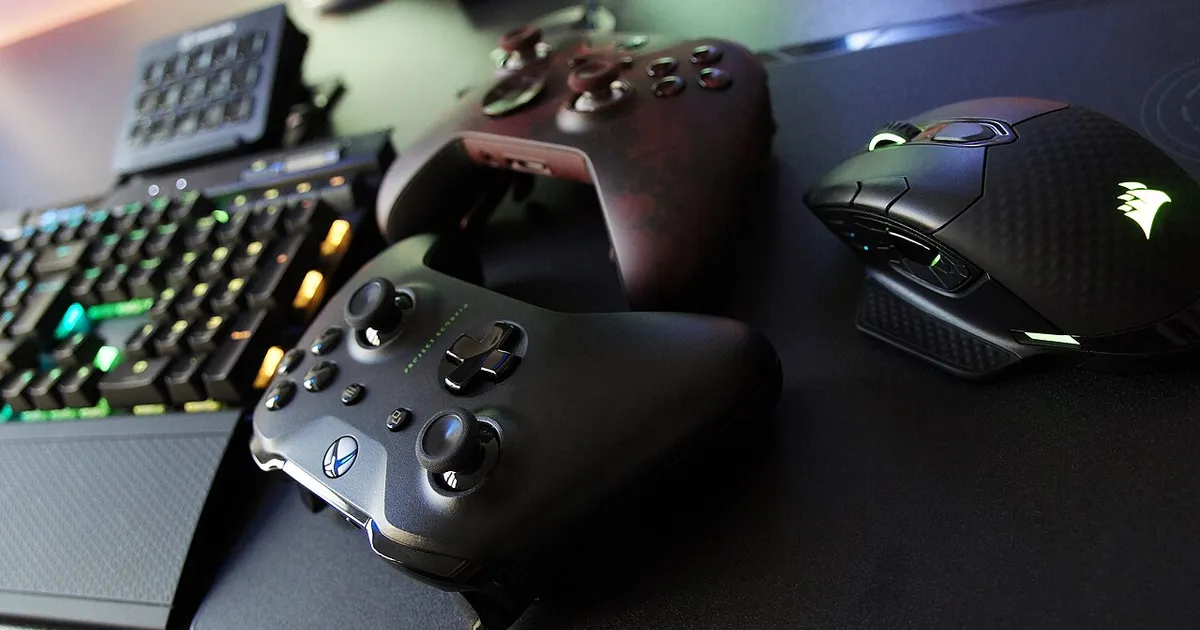
Photo by Jean-Marc Trappler / Wikimedia Commons / CC BY-SA 4.0
Gaming peripherals — keyboards, mice, headsets, controllers — go on “sale” more often than almost any other category in a setup, which paradoxically makes it one of the hardest categories to evaluate. When a discount badge is nearly always present, it stops meaning very much on its own.
Frequent “Sales” Often Mean the Sale Price Is the Real Price
If you notice the same keyboard or mouse listed at a discount every time you check a retailer’s site over a period of weeks or months, that’s a strong signal the “sale” price is effectively the standard price, with a badge attached to create a sense of urgency that isn’t really there. The way to confirm this is to check independent price-tracking tools where available, or simply keep your own note of a price the first time you see it and compare on a later visit.
Compare Against the Rest of a Brand’s Lineup
Peripheral brands often release very similar products at multiple price points differentiated by small feature changes — wired vs. wireless, RGB vs. no RGB, a slightly different switch or sensor. Before treating a discount on one model as a great deal, check where that discounted price lands relative to the rest of the brand’s current lineup. Sometimes a “50% off” mid-tier product still costs more than a newer entry-level model at full price with comparable core performance.
Watch for Older Generations Being Cleared Out
Peripherals do get generational updates — new switch types, improved wireless latency, updated sensors — and pricing on the outgoing generation often softens once a successor is announced or released. This can be genuinely good value if the improvements in the new generation don’t matter much for your use case. It’s worth a quick check of whether a newer version of the exact product you’re looking at has been announced before assuming the discounted older version is the best available option.
Bundle and “Free Gift” Offers Deserve Scrutiny
Peripheral sales frequently include a bundled mouse pad, extra cable, or software subscription trial framed as bonus value. These additions can be nice, but they’re also a common way to make a routine price look more generous. If you can find the core product’s price without the bundle, or estimate what the “free” extras are actually worth on their own, you’ll have a clearer sense of whether the total offer is genuinely good.
Return Windows Matter More for Feel-Dependent Gear
Unlike a monitor spec sheet, things like keyboard switch feel, mouse shape, and headset comfort are hard to judge without hands-on time. Before buying gear on sale, check the return window length and whether it accommodates “doesn’t feel right for my hand” returns, not just defective-unit returns. A steep discount on gear you can’t comfortably return is a bigger gamble than a smaller discount on something you can send back risk-free.
Quick Evaluation Checklist
- Check whether the “sale” price has been consistently present across multiple visits — a sign it’s just the normal price.
- Compare the discounted price against other models in the same brand’s current lineup.
- Check whether a newer generation of the product has been announced or released.
- Estimate the real value of any bundled “free” extras separately.
- Confirm the return policy covers comfort or fit issues, not just defects.
Peripherals are cheap enough individually that a bad purchase doesn’t sting the way a bad monitor or chair purchase does — but the habits above still save real money across a full setup’s worth of gear.
Our picks: Mice & Keyboards
Shop on Amazon
Affiliate links.As an Amazon Associate I earn from qualifying purchases. Links below go to Amazon; prices and availability change, so check Amazon for current pricing.Affiliate disclosure


Illustrative photos: Photo by Jacek Halicki / Wikimedia Commons / CC BY-SA 4.0; Photo by SolarMainframe / Wikimedia Commons / CC BY-SA 4.0; Photo by FASTILY / Wikimedia Commons / CC BY-SA 4.0; Photo by Anirban Saha / Wikimedia Commons / CC BY-SA 4.0