Xbox Series X vs. Series S: Which One Should You Buy?
A clear breakdown of what actually differs between Xbox Series X and Series S, and how to decide which fits your setup and budget.
A clear breakdown of what actually differs between Xbox Series X and Series S, and how to decide which fits your setup and budget.
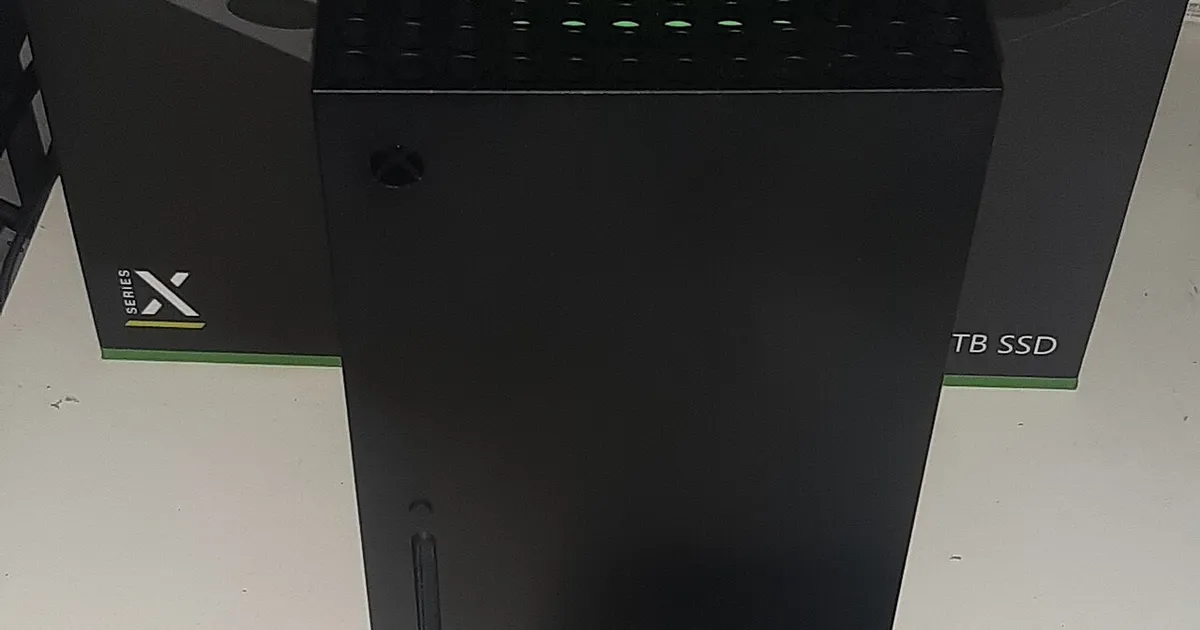
Photo by Der. Bellemer / Wikimedia Commons / CC BY-SA 4.0
Microsoft sells two very different consoles under the same Xbox Series branding, and the gap between them is bigger than a lot of shoppers expect. Understanding what actually changes between them makes the decision much easier.
Performance and Resolution Differences
Both consoles run the same generation of games and share the same core architecture, but Series X is built for higher output — generally targeting higher resolutions, and in some titles, more consistent frame rates in demanding scenes. Series S targets a lower output resolution to hit a smaller, more affordable footprint, which means the same game can look noticeably softer on a large 4K display when played on Series S versus Series X. If you’re playing on a smaller screen or you sit farther from your TV, that resolution gap matters less in practice than the spec sheet alone suggests.
Storage Considerations
Series S ships with meaningfully less built-in storage than Series X, and because it’s built around a more compact, lower-cost design, expanding storage on Series S relies more heavily on proprietary expansion cards or external drives once the internal storage fills up. Given how large modern game installs have become, factor an eventual storage upgrade into your budget for either console — it’s rarely a matter of “if,” just “when.”
Disc Drive and Backward Compatibility
Series X includes a disc drive in its standard configuration, letting you play physical media and take advantage of buying, trading, or borrowing discs. Series S is digital-only, meaning every game has to be purchased or downloaded through the store — worth considering if you have an existing disc collection from previous Xbox generations, since those discs simply won’t work on a drive-less console.
Who Should Buy Which
- Series X makes more sense if you have a 4K TV, care about getting the sharpest possible image, want a disc drive, or plan to keep a large local game library without constantly juggling storage.
- Series S is a reasonable choice if you’re on a smaller or older display where the resolution difference is less visible, you’re primarily buying digitally anyway, or you want the lowest entry cost into the current console generation.
Neither console is “wrong” — they’re built for different priorities. The mistake is buying Series S expecting Series X-level visual fidelity on a large 4K screen, or buying Series X and never taking advantage of the extra resolution and storage headroom it offers.
A Note on Game Compatibility
Because both consoles share the same underlying architecture and both run current-generation Xbox software, nearly all games released for the platform work on both — developers are expected to support both consoles, just with different graphical targets. This is different from past generations, where lower-tier hardware sometimes meant missing games entirely. That said, always check a specific game’s system requirements if you’re unsure, since a small number of especially demanding titles set minimum specs that can affect the experience differently across the two consoles.
Bottom Line
If display quality and long-term storage headroom matter to you, Series X is the safer buy despite the higher upfront cost. If budget and a smaller footprint matter more, and you’re not chasing maximum visual fidelity, Series S delivers the same games at a lower price — just don’t expect it to look identical to its bigger sibling on a large screen.
Our picks: Xbox
Shop on Amazon
Affiliate links.As an Amazon Associate I earn from qualifying purchases. Links below go to Amazon; prices and availability change, so check Amazon for current pricing.Affiliate disclosure
Illustrative photos: Photo by Der. Bellemer / Wikimedia Commons / CC BY-SA 4.0; Photo by Microsoft / Wikimedia Commons / CC BY-SA 4.0; Photo by Evan-Amos / Wikimedia Commons / Public domain