Steam Deck OLED vs. ROG Xbox Ally vs. Legion Go S: Choosing a PC Handheld
How Valve, ASUS and Lenovo handhelds differ in operating system, screen and ecosystem, and which one fits the way you play.
How Valve, ASUS and Lenovo handhelds differ in operating system, screen and ecosystem, and which one fits the way you play.
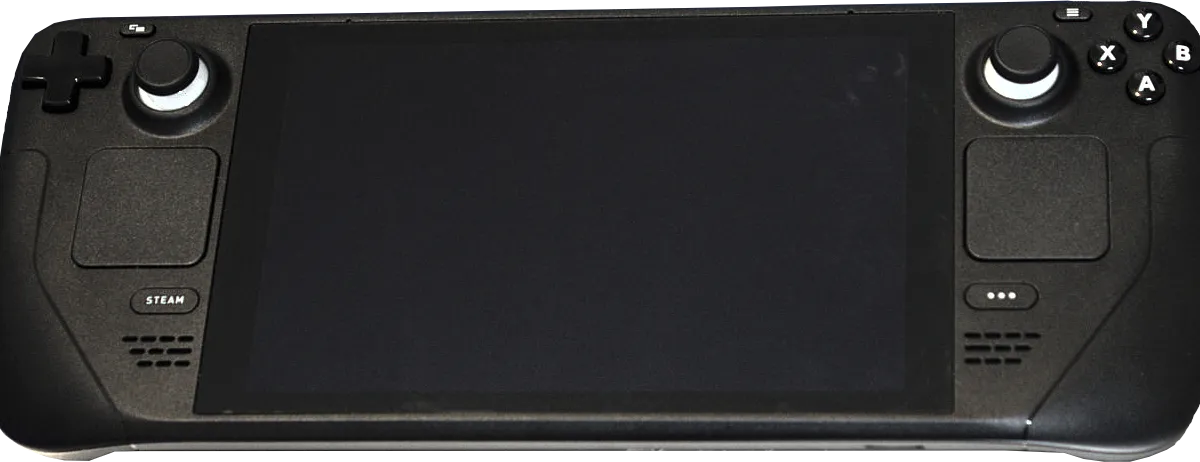
Photo by Liam Dawe/GamingOnLinux, PNG version by VulcanSphere / Wikimedia Commons / CC BY-SA 4.0
Affiliate links.As an Amazon Associate I earn from qualifying purchases. Links below go to Amazon; prices and availability change, so check Amazon for current pricing.Affiliate disclosure
PC handhelds now come from several big names, and the biggest difference between them isn’t raw performance: it’s the software. This guide compares three popular options by the factors that decide day-to-day use.
Steam Deck OLED: the most polished experience
The Valve Steam Deck OLED runs SteamOS, Valve’s Linux-based system built for handheld play. Sleep and resume work like on a console, and most of the Steam library runs through Valve’s Proton compatibility layer. Its OLED screen is a big step up from the original LCD model.
The trade-off: games that use certain anti-cheat systems don’t run on SteamOS, and stores other than Steam take extra setup. Valve sells the Steam Deck directly as well as through some retailers, so check that you are buying from an authorized seller.
ASUS ROG Xbox Ally: Windows with an Xbox front end
The ASUS ROG Xbox Ally and the higher-end ASUS ROG Xbox Ally X run Windows with the Xbox full-screen experience. That means every PC store (Steam, Xbox, Epic, Battle.net) and games that need Windows anti-cheat, plus PC Game Pass. Their grips are styled after Xbox controllers.
Lenovo Legion Go S: a lighter Legion
The Lenovo Legion Go S is lighter and simpler than the original Legion Go, without detachable controllers. It is sold with Windows, and a SteamOS version also exists, so check which one you are buying.
How to choose
| If you… | Look at |
|---|---|
| Mostly play your Steam library and want console-like simplicity | Steam Deck OLED |
| Want Game Pass, multiple stores or games that need Windows anti-cheat | ROG Xbox Ally / Ally X |
| Want a lighter Windows or SteamOS handheld | Legion Go S |
Accessories for any handheld
- A fast microSD card, such as the Samsung PRO Plus microSD 512GB, for more storage.
- A dock with HDMI and USB, for playing on a TV.
- A compact USB-C charger with enough wattage for your handheld.
Bottom line
Decide which games and stores you need first. If everything you play is on Steam and works on SteamOS, the Steam Deck is the easiest choice. If you need Windows, look at the ROG Xbox Ally or a Windows Legion.
Our picks: Steam Deck accessories
Shop on Amazon
Affiliate links.As an Amazon Associate I earn from qualifying purchases. Links below go to Amazon; prices and availability change, so check Amazon for current pricing.Affiliate disclosure

Illustrative photos: Photo by Liam Dawe/GamingOnLinux, PNG version by VulcanSphere / Wikimedia Commons / CC BY-SA 4.0; Photo by Evan-Amos / Wikimedia Commons / Public domain